Every asset, and where it came from

Years of packs from a dozen sites, under a dozen licenses, in a folder nobody remembers the terms of. Tessera keeps each pack whole, puts its license and source on record, and sends it into Unity, Godot or Unreal with the credits already written.

Get the source codeNo version has been published yetRead the guide

In development, with the source code public. See what is coming

  • Free and open source
  • macOS, Windows and Linux
  • Offline, with no account

Somewhere there is a folder called assets_final_2

Models from one site, textures from another, a bundle of sound effects, a font from somewhere you cannot recall. Nothing is labeled, and nobody remembers the terms any of it came under.

Then a publisher, a store, a client or a takedown notice asks a simple question, and there is no honest answer.

“What did you ship, and under what license?”

assets_final_2
The folder as it is today
NameLicense
characters_NEW.zipUnknown
sfx pack (1).zipUnknown
forest_4k.hdrUnknown
font_i_liked.ttfUnknown
loop_FINAL_final.oggUnknown
bg_parallax.pngUnknown
Before: a folder of downloads, and a memory.
Tessera: My Library
The same files in Tessera, with their records
PackSourceLicense
Mini CharactersKenneyCC0
Interface SoundsKenneyCC0
Forest ClearingPoly HavenCC0
Press Start 2PGoogle FontsOFL 1.1
Dungeon LoopOpenGameArtCC-BY 4.0
Parallax Forestitch.ioIn Review
After: each pack with its source, its license, and a snapshot of the page it came from. The one that cannot be answered waits in Review, and cannot reach a game until it is.

One pack, from download to game

Four steps, and the license travels with the files through every one of them.

  1. Bring it in

    Drag a zip onto the window, choose a folder, or paste a whole list of links. Tessera knows the asset pages of the sites below and finds the actual file behind each one.

    The download is copied in exactly as it arrived. A zip stays a zip and is read from the inside, so you keep the original and still get a full catalog of what it holds.

    • Kenney
    • Poly Haven
    • ambientCG
    • OpenGameArt
    • Quaternius
    • Poly Pizza
    • itch.io
    • GitHub releases
    • Google Drive
    • Dropbox
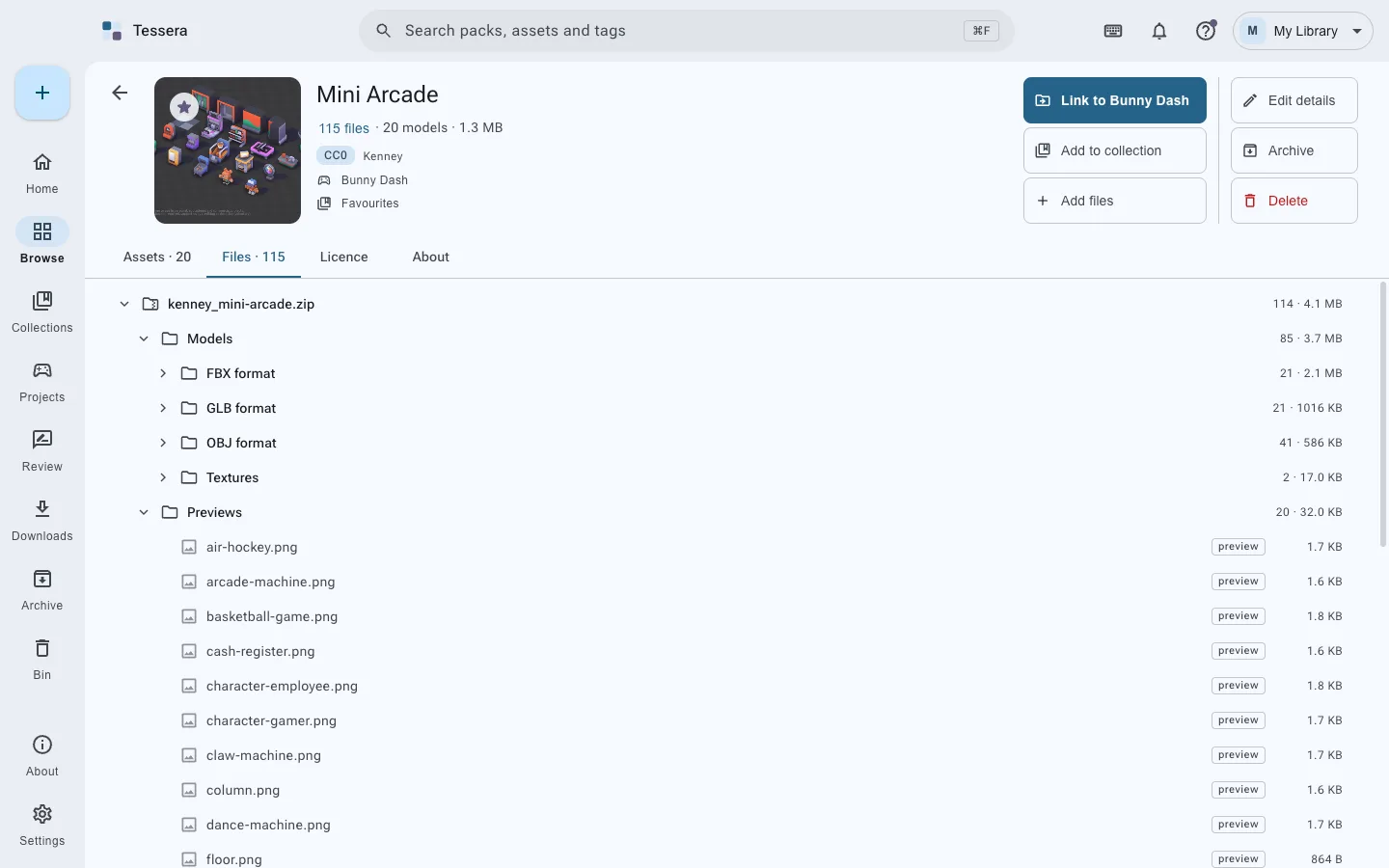
    A pack’s Files tab, listing the folders and the files inside its zip archives.
  2. Put it on record

    Where it can, Tessera reads the license out of the pack’s own files and keeps a snapshot of the page it came from as proof.

    Anything it cannot work out waits in Review. It stays out of search and out of reach of every game until the question is answered. This is the central promise: nothing reaches a game without its terms.

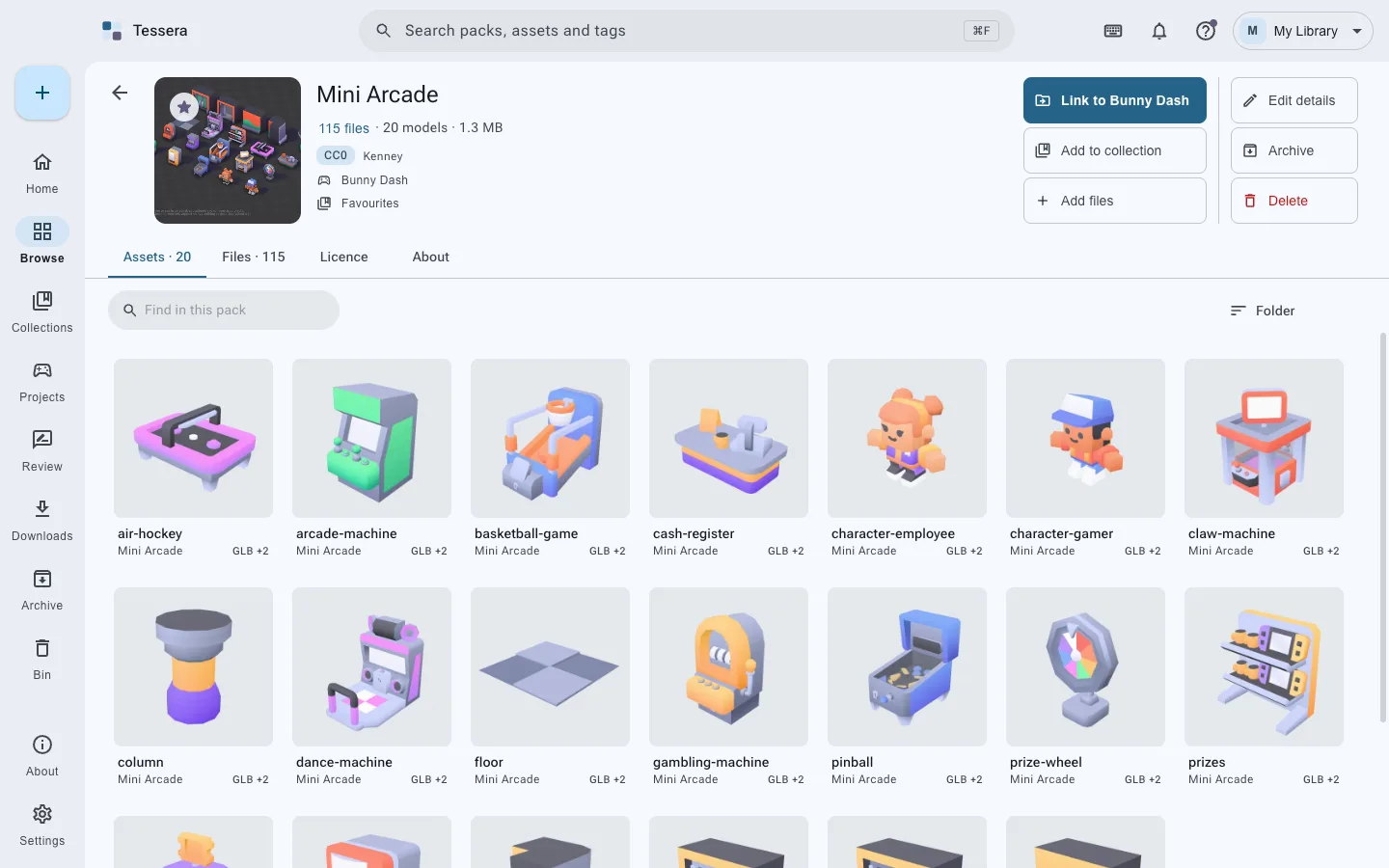
    The Mini Arcade pack’s page: its cover, a CC0 license, Kenney as creator, and its twenty models.
  3. Find it again

    Full text search across packs, files and tags, with filters by kind, format, source site, creator, license, genre and style that stack and say how much each would leave.

    Models turn, images zoom, sounds play and fonts type, all inside the app. A model that came as .fbx, .obj and .glb is one thing with three formats, not three things.

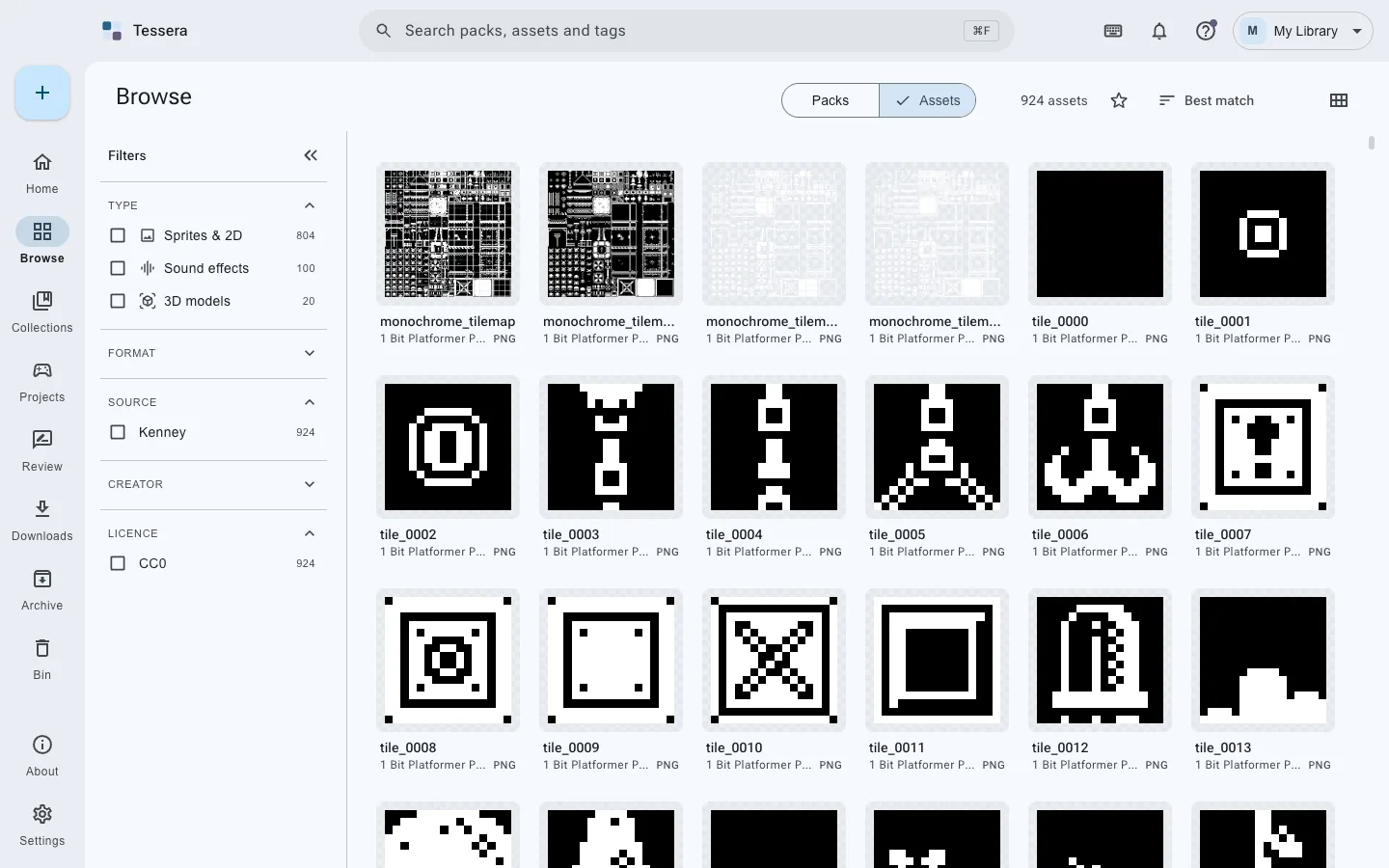
    Browsing the library, with filters for kind, format, source, license and style down the side.
  4. Send it to a game

    Point Tessera at a Unity, Godot or Unreal project, or any folder. Files arrive in the format that engine prefers, with their textures and dependencies alongside.

    Every pack brings its license file, and the game gets a CREDITS.md that rewrites itself as things are added and taken out.

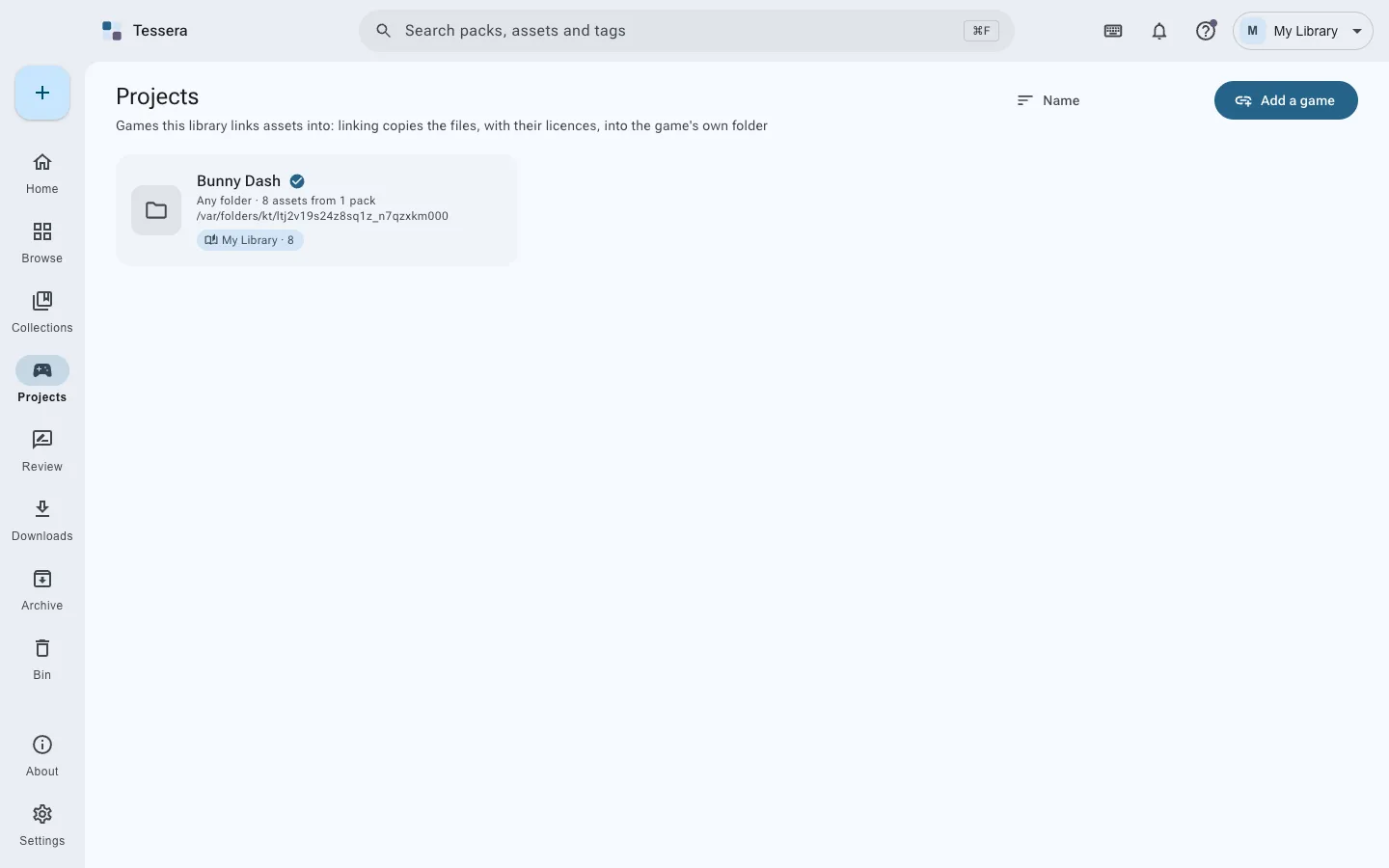
    The Games page, listing game projects and the assets each one has taken.

The credits write themselves

Link a pack to a game and it arrives in the shape that engine expects: models in the format it prefers, textures beside them, a license file for every pack.

  • A CREDITS.md in the game that updates itself as assets are added and taken out.
  • A real copy, not a link, so the project stands on its own on any machine.
  • A license that forbids commercial use is flagged, not hidden. That choice stays yours.
Linked from Tessera

BunnyDash

  • Assets
  • Tessera
  • Mini Arcade
  • arcade-machine.fbx
  • colormap.png
  • LICENSE.txt
  • Dungeon Loop
  • dungeon-loop.ogg
  • LICENSE.txt
  • CREDITS.md
# Credits
Bunny Dash uses the following assets.
 
## Dungeon Loop
Mara Lind, via OpenGameArt
CC-BY 4.0: credit required
 
## Mini Arcade
Kenney, via kenney.nl
CC0 1.0: no credit required
 
## Interface Sounds
Kenney, via kenney.nl
CC0 1.0: no credit required

Still quick at 120,000 files

A test library of four hundred packs and a hundred and twenty thousand files. A library that holds years of downloads should still feel instant.

Both finish well inside a tenth of a second, the point at which a response stops feeling immediate.
62ms
to search 120,000 files across 400 packs.
37ms
to show the first page of assets.
7.5s
to read the entire library again from disk.
1.4s
to plan and copy 1,800 assets, with their textures, licenses and credits, into a Unity project that already held 30,000 files of its own.

And the rest of the everyday

Collections with rules

Gather packs and single files for one game. A collection can insist on CC0, or refuse anything that needs a credit line, and it says why when it refuses.

Bunny Dash accepts CC0 only

Dungeon Loop was not added. Its license, CC-BY 4.0, needs a credit line.
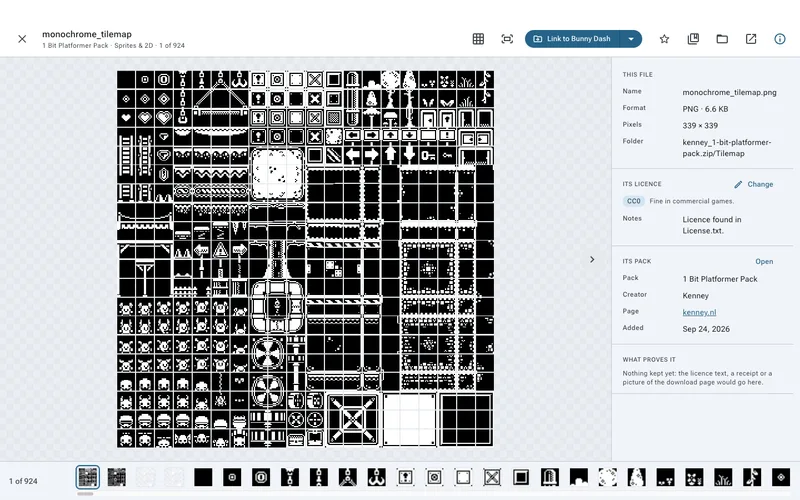
Every kind of file, previewed

Models turn, images zoom, sounds play, fonts type. The panel beside each file says which license covers it and what proves it.

The file viewer showing an arcade machine model, with its license and pack in a panel on the right.

Add to a pack later

Drop more files into a pack already in the library, in a folder you choose, with their own terms if they came from somewhere else.

Starred, archived, or in the bin

Keep what matters close and the rest out of the way. Deleting goes to the library’s own bin, which puts things back exactly where they were.

Backups and sync

Optional encrypted backups with Kopia, to a drive, a cloud drive or a server. Optional sync between your own computers with Syncthing.

Change the folders by hand

Tessera watches the library. Add or remove files in Finder or Explorer and it notices, and keeps as many libraries as you like.

Let an assistant do the filing, on your terms

While Tessera is open, it answers AI assistants running on the same computer over the Model Context Protocol. There are 49 tools, covering everything the window can do, and any MCP client can use them.

You choose which groups of tools an agent may reach. The app’s own settings and permanent deletion start switched off. Every call is recorded and shown to you, and nothing outside this computer can reach it, not even a web page.

  • Looking, on
  • Filing, on
  • Linking to a game, on
  • Bringing things in, on
  • Deleting to the bin, on
  • The app itself, off
  • Deleting for good, off
Answering127.0.0.1:7458
  1. 14:02:11Searched the library for “footsteps grass”14 found
  2. 14:02:14Recorded CC-BY 4.0 on Forest AmbienceDone
  3. 14:02:19Added Forest Ambience to Bunny DashDone
  4. 14:02:26Linked Bunny Dash to its Godot project38 files
  5. 14:02:31Changed the library’s settingsSwitched off
  6. 14:02:40Emptied the binSwitched off
An example of the call list the app keeps. Two calls were refused because their groups are switched off.

Yours, on your computer, offline

  • accounts
  • trackers
  • subscriptions

No sign in, no telemetry, no analytics. A library is an ordinary folder of ordinary folders that you can open in Finder or Explorer at any moment.

The search index lives apart from your files and can be thrown away and rebuilt from them whenever you like. The only things that ever use the network are the ones you start. Read exactly what they are.

My Library
  • My Library
  • packs
  • kenney-mini-arcade
  • Mini Arcade.zipexactly as downloaded
  • pack.jsonwhat it is, and its license
  • poly-haven-kloppenheim-06
  • kloppenheim_06_4k.hdr
  • pack.json
  • opengameart-dungeon-loop
A library folder: one folder per pack, each holding the original download and a small pack.json.

Start with the folder you already have

No version has been published yet. The source code is public, and the first release will be listed here the moment it exists.

The first time you open it

The builds are not signed with paid Apple or Microsoft certificates, so each system asks once. This is what it says, and what to do.

macOS

“Tessera is damaged and can’t be opened”

Right-click Tessera in Applications, choose Open, then Open again. Only the first time.

Windows

“Windows protected your PC”

Choose More info, then Run anyway. Only the first time.

Linux

Nothing at all.

Make the AppImage runnable with chmod +x, or install the .deb or .rpm as usual.